
Pirate Kings™️
PlaytikaCasual
4.359.12K Reviews
- Version
- 11.0.3
- Installs
- 50.00M
- Age Rating
- Everyone 10+
Screenshots
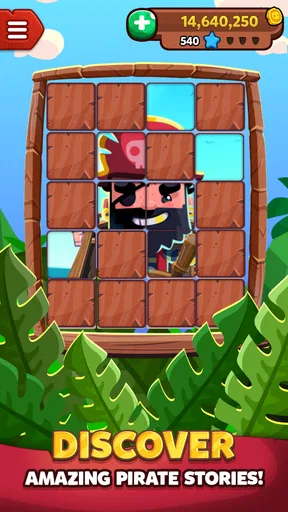
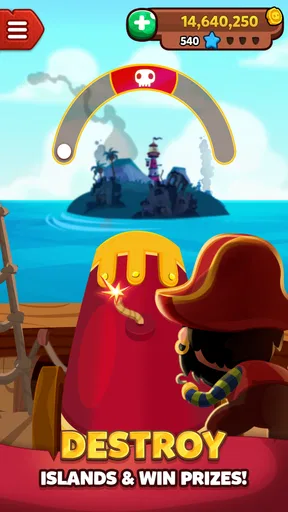
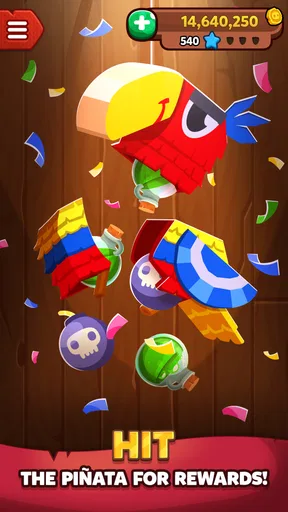
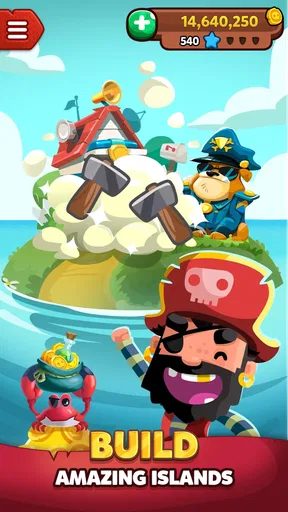
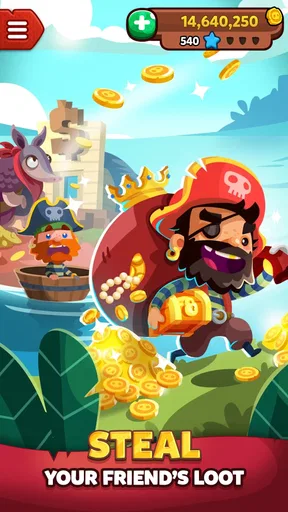
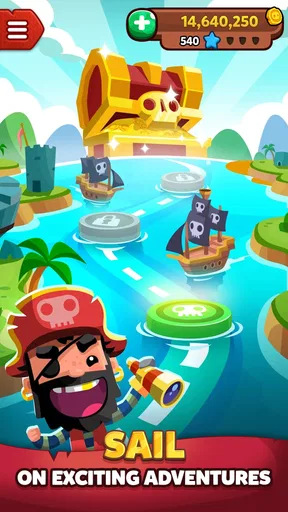
Our Review of Pirate Kings™️
 Analysis by Appyee
I spent time with Pirate Kings™️ as a light, social casual game rather than treating it like a deep strategy title. Its central appeal is immediate: you build up a pirate-themed island, take chances for rewards, and interact with other players through attacks, raids, and theft. That playful rivalry makes it easy to understand within minutes, but the experience becomes more interesting once you notice how much of the enjoyment depends on timing, patience, and your tolerance for repeated chance-based actions.
Developed by Playtika, the game is free to start and aimed at players aged 10 and over. It has been available since May 9, 2014, and its long presence is reflected in a large player base: it has passed 50 million installs, with an average rating of 4.3 from around 1.4 million ratings. Those figures suggest that the basic loop has broad appeal, although popularity does not remove the frustrations that can appear during normal play.
What playing Pirate Kings is really like
The first thing I noticed is that this is designed for short visits. I could open it, make progress, check what was available, and leave without committing to a long session. That makes it a natural fit for a commute, a quick break, or the few minutes before bed. It is not the sort of game I would choose when I want precise controls, a large story, or a long uninterrupted challenge.
The pirate setting gives the routine a clear personality. Attacking, raiding, and stealing are presented as playful competition rather than serious combat, so the tone stays closer to a social board-game rivalry than an action adventure. The important distinction is that the excitement comes from deciding when to take a chance and how to respond to setbacks, not from controlling a character in real time.
That structure is also where the first common sticking point appears. A new player may expect every tap to produce steady progress, but the game is built around variable outcomes. A good result can make an island feel suddenly more developed, while an unlucky turn can make the next few minutes feel uneventful. I found it more enjoyable when I treated each visit as a small attempt rather than a guaranteed step forward.
Where new players tend to get stuck
The most confusing part is usually not the pirate theme; it is understanding what deserves attention first. When several actions are available, it is tempting to spend every opportunity immediately. I got better results by pausing to look at the current island and deciding whether I wanted immediate progress or to save resources for a more useful moment. That small habit makes the game feel less random, even though chance remains central.
Another source of friction is the social side. Raiding and stealing are the activities that give the game its identity, but they can also make progress feel personal when another player disrupts something you were building. I would recommend approaching those interactions as part of the rules rather than as a punishment aimed at you. If competitive interference annoys you, the game may become tiring even if you enjoy the visual style.
Notifications and interruptions can also change the rhythm of a casual game. I prefer checking it on my own schedule instead of allowing the game to dictate when I return. If you are installing it for occasional entertainment, decide early whether you want to engage with every prompt or simply open it when convenient. That boundary helps keep a free game from taking more attention than you intended to give it.
Simple setup checks before blaming the game
Because the game has been around for years and current releases continue to change, I would begin with the basics if something feels wrong. Make sure the device is running at least Android 7.0, then check that the installed build is current. The listed version is 11.0.3, so an older installation may behave differently from what other players describe.
I would also close other demanding apps before assuming that a delayed response is a game fault. Casual games are easy to underestimate because they look simple, but a crowded device, limited free storage, or an unstable connection can still affect loading and synchronization. Restarting the app after checking those basics is a sensible first step and does not require changing any advanced settings.
If progress appears different after changing devices, I would avoid repeatedly reinstalling in frustration. First, confirm that you are using the same account or sign-in method you normally use, if the game presents one. Keep notes about what you were doing immediately before the problem appeared. That makes it easier to distinguish a temporary loading issue from a genuine progress or account problem.
On iOS or Android, the exact menus will differ, but the troubleshooting order is similar: update the operating system when appropriate, update the game, check the connection, restart the device, and only then consider reinstalling. Reinstallation should be a later step, not the automatic answer, because removing an app can create extra recovery work if your progress is not already connected to a supported account.
A calmer workflow for everyday play
My preferred routine is to open the game with one small goal. I might check the island, make the most sensible available move, and stop rather than chasing a better result indefinitely. This prevents the familiar casual-game trap where a short break quietly turns into repeated attempts driven by frustration.
It also helps to separate building from retaliation. If another player affects your island, immediately trying to recover everything can lead to poor decisions. I found it more useful to review what is actually available, take the next reasonable action, and accept that not every visit will produce a satisfying outcome. The game feels lighter when I do not treat every loss as something that must be corrected at once.
For families, the Everyone 10+ rating is a useful starting point, but I would still explain the competitive loop to younger players. The words “attack” and “steal” describe the playful mechanics, not real-world behavior, yet a child may still become upset when progress is interrupted. Setting a time limit and agreeing that purchases require permission is more practical than assuming the age label alone will solve every concern.
In-app purchases range from $0.99 to $99.99 per item. That wide range is important because the game is free to download, but optional spending can change how quickly a player moves through the experience. I recommend deciding on a personal budget before playing, especially if you are prone to making a purchase after an unlucky result. The strongest protection is a rule made before the temptation appears.
Recovering when a session does not go as expected
If the game freezes during a short session, I would first wait briefly rather than tapping repeatedly. Multiple taps can make it harder to tell whether the game is processing an action or has stopped responding. If nothing changes, close and reopen the app, then check whether the result has synchronized before attempting the same action again.
If a reward or progress change seems missing, avoid assuming that it was permanently lost. Write down the approximate time, the action you took, and what changed on screen. Then restart the game and look again. This simple record is useful if you need to describe the problem clearly, and it also prevents you from repeating an action that may already have registered.
When a purchase is involved, patience matters even more. I would not immediately buy the same item again just because the first result is not visible. Give the app time to refresh, restart it once, and check the relevant account or purchase history through the platform you used. Repeating a transaction while uncertain can turn a display delay into an avoidable duplicate charge.
Reinstalling may help with corrupted local files, but it should be treated as a last resort. Before doing it, make sure you understand how your progress is connected. A clean installation can fix a stubborn launch problem, yet it can also make a player nervous if the previous state was only stored locally. The safest workflow is to preserve account details and troubleshoot in smaller steps first.
When the app may not be the real problem
Not every disappointing result is a technical failure. The game’s chance-driven design can produce a perfectly normal session that simply feels poor. If the app opens correctly, actions register, and the island updates after restarting, an unlucky sequence is more likely than a broken installation. That distinction is important because reinstalling cannot improve the outcome of a random turn.
Connection problems can create a similar misunderstanding. A weak or changing network may make the game appear slow, cause information to refresh late, or leave the player unsure whether an action completed. Trying a more stable connection and reopening the app gives a clearer test than repeatedly pressing the same control.
Device limitations are another factor. Older hardware may handle a newer build less comfortably, particularly when storage is nearly full or several apps remain active. Since the minimum operating-system requirement is Android 7.0, compatibility with that baseline does not guarantee identical performance across every device. If the game works but feels sluggish, freeing space and closing background apps are reasonable first measures.
There is also a personal fit issue. Someone who wants a predictable puzzle, a fully offline pastime, or a campaign where skill consistently determines the result may be happier elsewhere. A traditional match-three game offers clearer control over each move, while a deeper strategy game provides more deliberate planning. Pirate Kings is better suited to players who enjoy short, social, chance-influenced progress and can shrug off occasional setbacks.
How it compares with familiar casual alternatives
Compared with a standard puzzle game, this one puts more emphasis on progression and rivalry than on solving a self-contained challenge. A puzzle usually lets me identify why I succeeded or failed; here, the outcome can feel less directly connected to a clever decision. In exchange, the pirate theme and interaction with other players give each visit a stronger sense of ongoing context.
Compared with a traditional city-building game, the experience is lighter and less managerial. I am not spending long periods arranging a complex economy or optimizing every production chain. That is a strength when I want something approachable, but a weakness if I enjoy detailed planning. The island gives the game a visible sense of development without turning it into a full simulation.
It also differs from a pure social chat or party game. The social element is tied to actions that affect progress, so it is not just about exchanging messages or competing in a single match. Players who enjoy friendly rivalry may find that satisfying, while players who prefer completely private play may find the interaction intrusive.
For me, the best comparison is a casual progress game with a mischievous competitive layer. It rewards returning in small bursts, but it does not demand the same concentration as an action game. That makes it easy to recommend selectively rather than universally: the right player will enjoy the loop, while the wrong player will mainly notice the waiting, chance, and interruptions.
Who should install it, and who should skip it
I would recommend it to someone who likes colorful themes, quick sessions, and the feeling of gradually improving a personal island. It is particularly suitable for players who enjoy harmless rivalry with friends or other participants and do not need every outcome to be fully under their control. The free entry point makes it easy to try without committing money at the start.
I would be more cautious recommending it to anyone who dislikes in-app purchase pressure, even when purchases are optional. The available items can cost from less than a dollar to nearly a hundred dollars, and that is a meaningful range for a casual game. Players who want a strictly fixed-cost experience should look for a paid alternative or a game with a clearer one-time purchase model.
I would also skip it if your main goal is a rich pirate adventure. The setting is a wrapper for a quick casual loop, not a substitute for a story-heavy voyage, real-time naval combat, or a detailed role-playing game. Likewise, if you become stressed when another player can interfere with your progress, the central competitive idea may outweigh the charm.
My practical verdict after living with the loop
The smartest way to enjoy Pirate Kings™️ is to treat it as a small daily diversion, not a contest that must be won every time you open it. That mindset makes the chance-based turns easier to accept and keeps the social attacks from feeling like a personal setback. I also recommend setting purchase limits in advance, keeping the app updated, and using a simple restart-and-check routine before assuming that progress has disappeared.
Playtika has built a casual game with a clear identity and a remarkably accessible structure. Its strengths are the quick sessions, recognizable pirate presentation, and ongoing sense that another visit may change the state of your island. Its weaknesses are equally clear: variable outcomes, possible interruption from social competition, and the need for self-control around optional spending.
With a 4.3 average and around 59 thousand written reviews, it has attracted sustained attention, but those figures should be read alongside your own preferences. I would gladly suggest it to a friend who wants a low-commitment game for spare moments and enjoys playful rivalry. I would point that friend elsewhere if they wanted deep strategy, reliable skill-based outcomes, or a completely purchase-free experience.
Overall, I found it easy to pick up and surprisingly easy to return to, provided I kept my expectations modest. It works best when I make a few decisions, enjoy the pirate mischief, and put it down. If that sounds like your kind of casual entertainment, the free version is worth trying; if chance and competitive disruption usually ruin your mood, there are better choices for your time.
Verdict
Strengths of Pirate Kings™️
- Simple controls make it easy to start playing immediately.
- Short sessions work well for quick breaks.
- Island customization adds a personal touch to progression.
- Social features encourage friendly competition with other players.
- Regular rewards help maintain interest between spins.
Limitations of Pirate Kings™️
- Progress can feel heavily dependent on luck.
- Energy and spin limits may interrupt longer play sessions.
- Frequent offers can make the interface feel commercially focused.
- Waiting timers may encourage in-app purchases.
- Gameplay can become repetitive after extended play.
Other Releases by Playtika
View All


Similar Picks in This Category
View All
My Talking Angela
Outfit7 Limited4.2

My Talking Tom
Outfit7 Limited4.3

Pou
Zakeh4.2

My Talking Tom 2: Pet Game
Outfit7 Limited4.3

Candy Crush Saga
King4.6

Bridge Race
Supersonic Studios LTD4.1
Frequently Asked Questions
What is Pirate Kings™ and how does the game work?
Pirate Kings™ is a casual mobile game in which you build and upgrade your own pirate island while attacking or raiding islands connected to other players. Most actions are driven by a spinning wheel that can award coins, shields, attacks, or raids. The game is easy to learn and works well in short sessions, although progress becomes more dependent on patience, events, and available spins as your island develops.
Is Pirate Kings™ free to download and play?
Yes, Pirate Kings™ can generally be downloaded and played for free on supported Android and iOS devices. However, the game includes optional in-app purchases for items such as extra spins, coins, or special bundles. You can make progress without paying, but purchases may shorten waiting times or provide additional resources. Parents should review device payment settings if children may access the game.
Does Pirate Kings™ require an internet connection?
Pirate Kings™ is designed as an online game, so an internet connection is normally required for the main experience. The game needs to communicate with its servers to update your island, process spins, connect social features, and show events or advertisements. Depending on the device and connection quality, loading times can vary. Offline play should not be expected to provide the full set of features.
Can I play Pirate Kings™ with friends or other players?
Yes, social interaction is an important part of Pirate Kings™. Depending on the version and permissions you enable, you may be able to connect through supported social accounts, view friends’ islands, send or receive certain rewards, and compete through events or leaderboards. Some social features may require account access or permission to connect with contacts, so check the privacy settings before linking an account.
Is Pirate Kings™ suitable for children, and are there advertisements?
Pirate Kings™ has simple controls and colorful cartoon-style presentation, making it accessible to many younger players. Nevertheless, it includes random wheel-based rewards, social interaction, advertisements, and optional purchases, which are worth considering before allowing children to play. Advertising frequency and available content can change by version, region, or account. Use parental controls and disable unauthorized purchases if necessary.
Play our best games!


